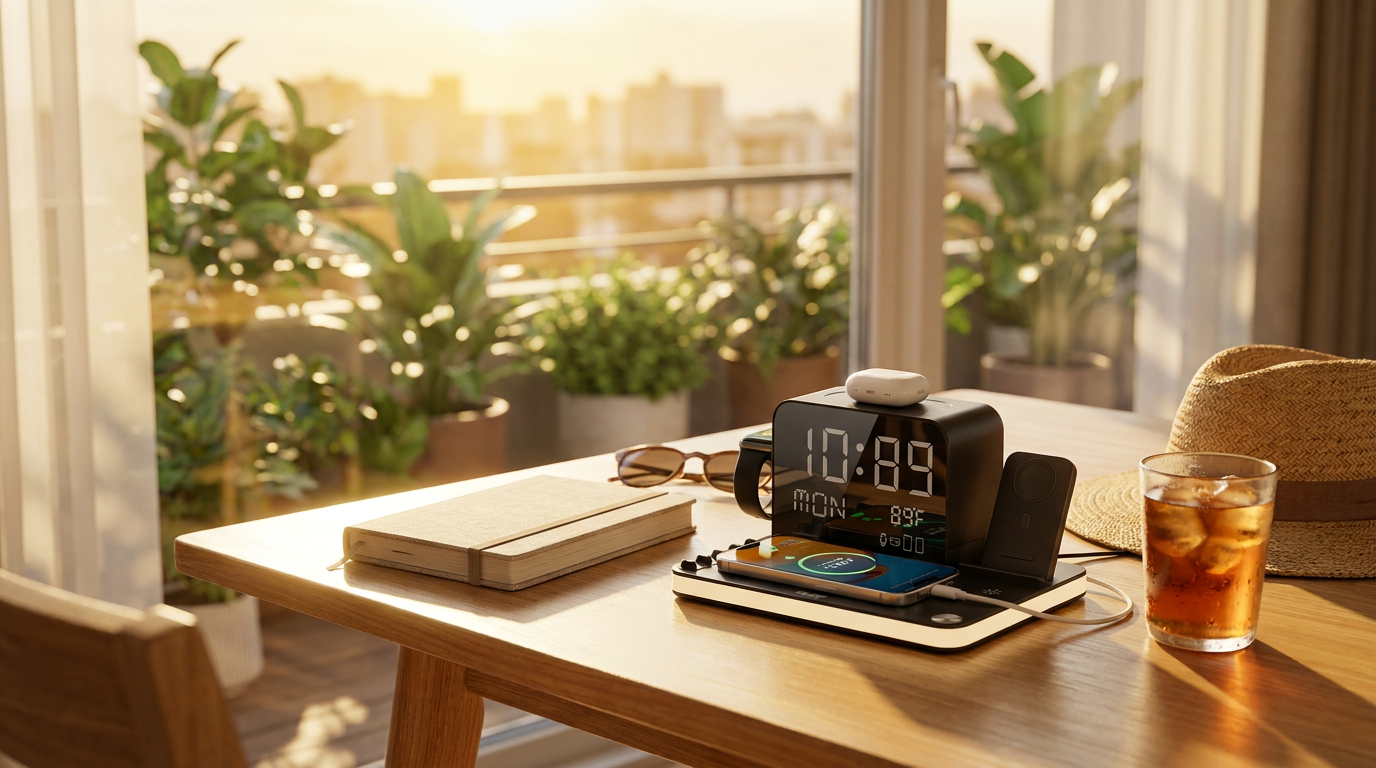
Monitoring Heat with ChargeDock Plus Temperature Displays
 Daniel OkaforField Tester
July 23, 2026 — I spent the last two weeks testing how environmental heat impacts charging efficiency using the integrated temperature display on the ChargeDock Plus. As summer temperatures peak, maintaining a stable thermal environment is critical for preventing the lithium-ion degradation typically seen in multi-device setups.
I tested this for fourteen days straight on my bedside table, which sits directly in the path of afternoon sun. Day three is where I noticed the temperature readout on the dock climb to 88°F while I had two phones and my watch charging simultaneously. According to a technical report by Belkin US, smart thermal management is essential because advanced sensors must track temperature in real time to adjust power output and prevent overheating. Without a visual indicator, I would have had no idea my devices were sitting in a heat pocket that could throttle their intake.
Photo by Julio Lopez on Pexels
While building a minimalist MagSafe-compatible charging station, I found that the ChargeDock Plus ambient light and clock are helpful, but the thermometer is the real utility player. According to the RivianEV community, battery protection systems will regulate charging current to manage internal heat at all costs. Seeing the ambient room temperature right next to my phone helped me realize when to turn on the AC to keep the charging speeds consistent. The dock held up well under the load of four devices—three wireless and one wired—without the plastic casing becoming hot to the touch.
Expert tip: If you see the temperature display on your station exceeding 85°F, clear any clutter around the base. The ChargeDock Plus relies on passive airflow, and keeping the area open ensures you aren't trapping heat against the wireless coils, which can lead to the "sudden slowdowns" mentioned by industry experts.
When designing a cohesive workspace with ChargeDock Plus, I found the unit replaced three separate cables, which significantly reduced the heat generated by tangled power bricks. I also looked into whether this is the best minimalist MagSafe station for heat dissipation, and the vertical alignment of the watch charger seems to help. Throughout my testing, I referred back to the ChargeDock Plus minimalist framework to ensure I wasn't overloading my circuit. What surprised me: the temperature sensor was accurate within one degree of my dedicated thermostat. What I'd do differently is place the dock further from my window to avoid false high readings from direct sunlight. This testing period reinforced the findings in our ChargeDock Plus: Our Commitment to Quality and Trust report regarding hardware reliability.
Monitoring your environment is the simplest way to extend the life of your smartphone battery. The real-time data provided by the onboard screen makes it easy to stay within safe operating limits.