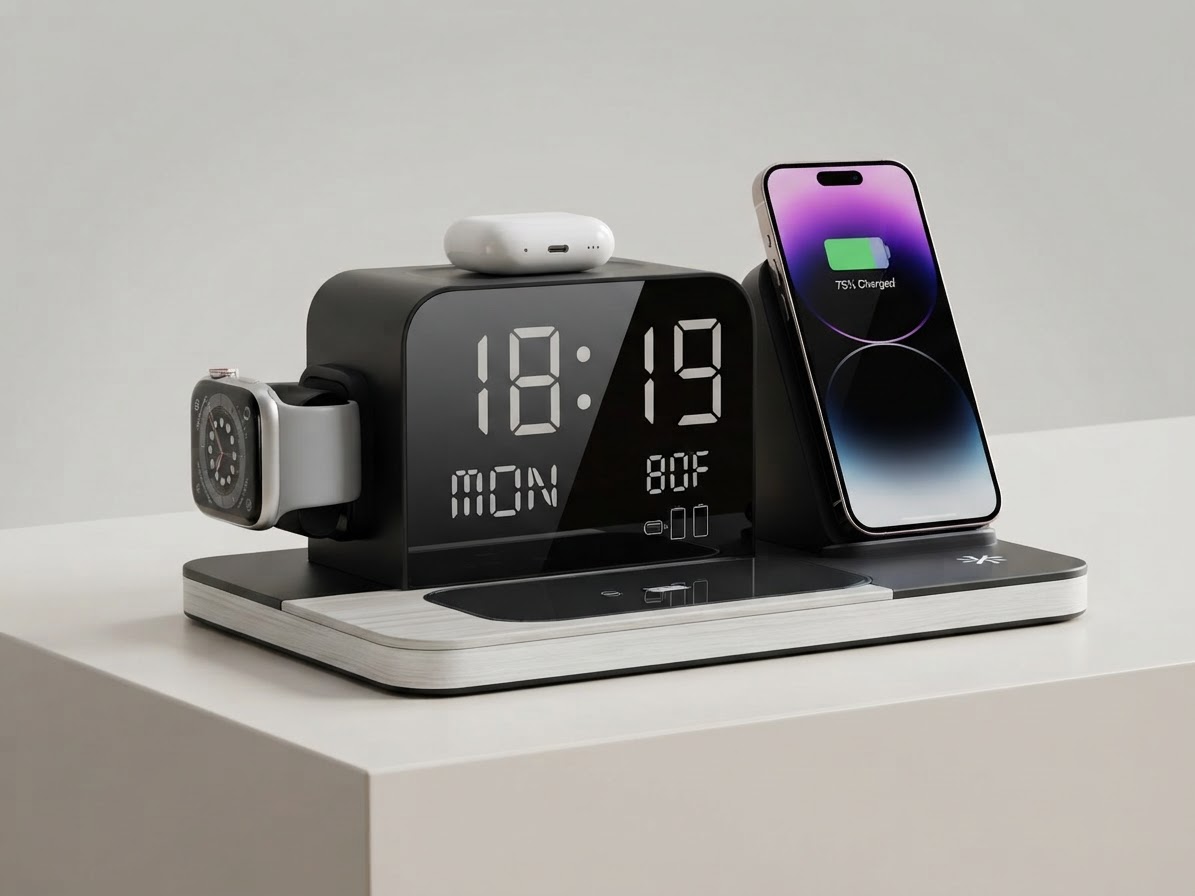
Single Wireless Chargers vs Multi-Device Charging Docks
When curating a high-performance office, choosing between individual single chargers and a centralized multi-device dock can drastically impact your desktop layout. As discussed in the main guide, keeping accessories consolidated directly enhances spatial workflow.
Footprint and Desk Space Efficiency

Single wireless pads require separate physical footprints for every gear piece you own. If you charge two phones, earbuds, and a watch, four separate pads consume a substantial area. In contrast, a 7-in-1 multi-device station like the ChargeDock Plus packs all those functions into a single dock width of 8.5 inches.
Outlet Usage and Cable Management

Multiple standalone chargers demand multiple power outlets and individual cables dangling behind your desk. The ChargeDock Plus relies on a single Corded Electric connection running at input voltage of 9V / 12V, utilizing a cable wrap length of 3.3 feet to contain excess cord slack neatly.
Versatility and Extra Utilities
While single charging pucks only deliver power, multi-device docks often function as desk command hubs. The ChargeDock Plus includes warm white LED ambient light (2700K - 3000K), an extra 2.4A wired charging port, a digital clock, and temperature monitoring. Choosing a multi-device charging dock provides superior organizational efficiency and aesthetic value.Read the full guide: Aesthetic Desk Setup Ideas for Productivity: The Ultimate Guide