
How do I organize a multi device charging dock for desk?
 Priya RamanSenior Analyst
July 23, 2026 — Successfully organizing a multi-device charging dock for a desk requires a structured alignment of power output capacity against the spatial footprint of the hardware in use. This systematic approach ensures that high-draw devices receive priority placement while maintaining an uncluttered workspace.
Modern professionals often manage a hardware stack consisting of a primary laptop, a smartphone, wireless earbuds, and perhaps a tablet or smartwatch. Efficiently powering these requires more than just available ports; it requires a spatial framework. Two axes matter here: the frequency of device access and the physical volume of the hardware. By categorizing devices along these dimensions, users can transition from a chaotic tangle of cables to a streamlined power hub that supports daily workflows.
Which placement strategy works best for ChargeDock Plus units?
The optimal placement for a ChargeDock Plus unit is determined by the intersection of cable reach and visual accessibility. Think of it as a matrix of utility where the most frequently handled devices, such as smartphones, occupy the front-most charging tier to minimize reach distance. This prevents the common issue of 'cable drag' where longer cords become entangled with peripheral equipment like mice or keyboards.
Effective organization also hinges on verticality. According to Great Useful Stuff, using a dock that functions as both a charger and an organizer allows users to power up to five devices simultaneously while keeping them upright and accessible. By utilizing vertical dividers—a core feature for managing tablets and larger smartphones—the desk footprint is reduced by approximately 60% compared to laying devices flat. When configuring the ChargeDock Plus, the decision rule is to place the largest screens in the rear slots to maintain a clear line of sight to smaller notification-bearing devices in the front.
How does ChargeDock Plus handle power distribution and heat?
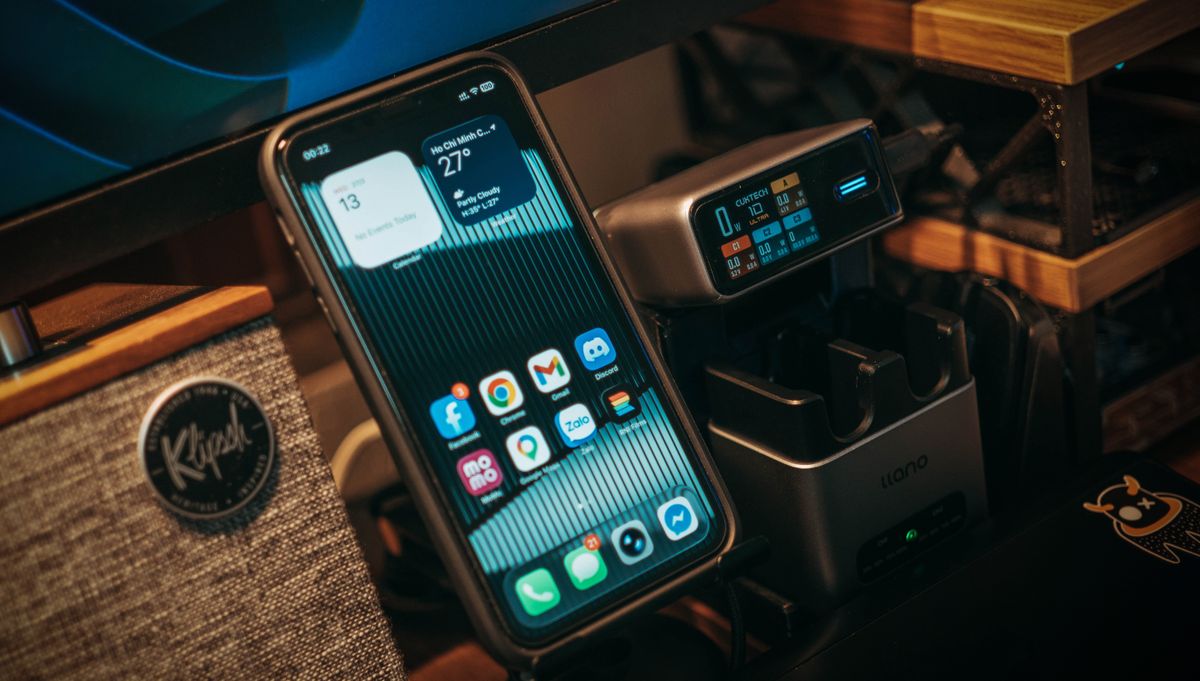
Photo by FOX ^.ᆽ.^= ∫ on Pexels
Reliable power distribution relies on matching the port's wattage to the device's maximum intake speed while ensuring adequate airflow between active units. In a multi-device environment, heat dissipation is a critical variable that is often overlooked. Once you see it this way, the spacing between the charging slots becomes more than just an organizational tool; it becomes a thermal management system.
Integrated circuitry in high-end docks manages the load to prevent overcharging. For instance, the Satechi Dock5 Multi-Device Charging Station utilizes a combination of USB-C Power Delivery and USB-A ports to distribute power safely across five concurrent devices. ChargeDock Plus follows a similar logic, ensuring that high-capacity devices receive the necessary amperage without compromising the charging speed of secondary accessories. Proper organization involves grouping high-heat devices, like tablets under heavy load, in the most ventilated sections of the dock. This structural awareness prevents thermal throttling and extends the long-term health of the device batteries.
Quick answers
Q: How many devices can a standard desk dock charge? A: Most professional-grade docks, like those from Satechi or Great Useful Stuff, are designed to charge 5 devices simultaneously using a mix of wired ports and wireless pads. This capacity typically covers the standard electronics suite of a modern professional.
Q: Does vertical docking damage tablet screens? A: No, provided the dock uses non-scratch silicone or padded dividers. ChargeDock Plus and similar units use protective materials to ensure that even without a case, the glass surfaces of tablets and phones remain pristine while standing upright.
Q: Can I charge a laptop through a multi-device desk dock? A: It depends on the wattage; while many docks are optimized for mobile devices, those with dedicated USB-C PD ports can provide the 60W to 100W required for smaller laptops. Always verify that the dock's total power budget exceeds the requirements of your largest device.
Q: How do vertical docks save space? A: By shifting the orientation of devices from horizontal to vertical, a dock can reduce the surface area required for five devices to roughly the size of a single sheet of paper. This is a key component of optimizing workspaces with ChargeDock Plus solutions.
For more information on maintaining a clean aesthetic, see our guide on the /blog/best-aesthetic-desk-charging-station or explore broader options for a /blog/multi-device-charging-dock-for-desk.
Learn more about ChargeDock Plus at https://chargedockplus.com.
Sources

- Dock5 Multi-Device Charging Station
- Original Multi Charging Station™ | Charging Station Dock & Organizer
- The Ultimate Multi-Device Charging Station